Project Charter Template

The Project Charter is the single most important document in any DMAIC project. It serves as the "contract" between the project team and leadership, clearly defining the Business Case, Problem Statement, and Scope before any work begins.

★★★★★
4.6 254 reviews
22k + Downloads
Updated February 2026
Template Hero

About this Template

The Project Charter is the single most important document in any DMAIC project. It serves as the "contract" between the project team and leadership, clearly defining the Business Case, Problem Statement, and Scope before any work begins.

Without a signed charter, projects suffer from "Scope Creep"—where the goals keep expanding until the project fails. This template forces you to lock down the boundaries early. It aligns your Stakeholders on exactly what "Success" looks like, how it will be measured, and when it will be delivered.

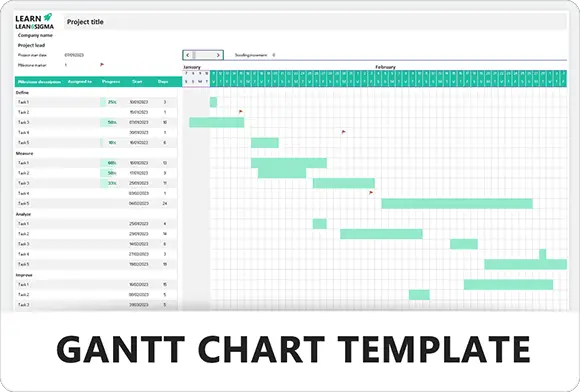
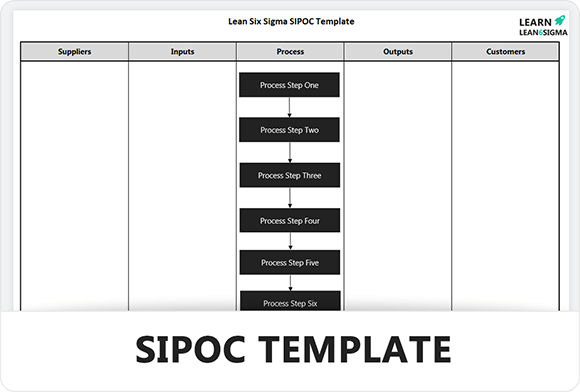
This Excel template includes sections for your Team Roles (Belts/Sponsors), Milestones (Gantt view), and a dedicated space for the initial SIPOC Analysis. It is designed to be printed on a single page for easy review during Tollgate meetings.

Pro Tip: A good charter is a living document. Don't just file it away; revisit it at every Tollgate Review to ensure you haven't drifted from the original business case.

Align Your Team

Get buy-in from day one. Ensure everyone agrees on the problem before you try to fix it.

Prevent Scope Creep

Clearly define what is "In Scope" and "Out of Scope" to keep the project focused and on budget.

Secure Resources

A clear Business Case proves ROI to management, making it easier to get the budget you need.

Launch Faster

Don't waste time formatting documents. Fill in the blanks and get your project approved today.

FREE

Join the 28-Day Lean Challenge

Take your skills to the next level. Join 15,000+ practitioners and get exclusive tools delivered to your inbox.

Daily Lessons 5 Bonus Templates PDF Guides
Start the Challenge

No spam. Unsubscribe anytime.

The Charter Roadmap

Follow these 5 steps to lock down your project boundaries and secure leadership approval before work begins.

Step 01

Define Business Case

This is your "Burning Platform." You must explain why this project is critical to the business right now. If you cannot quantify the pain in dollars or time, you will not get approval.

  • Calculate COPQ: What is the Cost of Poor Quality? (Scrap, Rework, Refunds).
  • Link to Strategy: How does this affect the company's annual goals?
  • Voice of Customer: What specifically are customers complaining about?
Example:

"Late deliveries cost us $500/week in refunds and damaged our Yelp rating to 3.2 stars."

Step 02

Clarify Scope & Goals

"Scope Creep" kills projects. You must draw a box around your problem. If you try to fix "World Hunger," you will fail. Fix "Dinner on Tuesday" instead.

  • In Scope: The specific process steps you will touch (Start/Stop points).
  • Out of Scope: What you will explicitly ignore (e.g., "Other departments," "Software upgrades").
  • SMART Goal: Specific, Measurable, Achievable, Relevant, Time-bound.
Goal Statement:

"Reduce late deliveries (>45 mins) from 20% to 5% by Q3."

Step 03

Identify the Team

A project cannot be a "one-man show." You need authority to make changes and subject matter experts (SMEs) who know the process.

  • Sponsor: Executive who removes barriers and signs the check.
  • Process Owner: The manager responsible for the process (they must sustain the solution).
  • Green/Black Belt: The project leader (you).
  • Core Team: 3-5 people who do the work daily.
Pro Tip:

Don't skip the "Process Owner." If they aren't involved, they won't use your solution.

Lead
Step 04

Map Milestones

Projects expand to fill the time available. Set strict deadlines for each DMAIC phase to keep momentum.

  • Define: Charter signed (Week 1).
  • Measure: Baseline data collected (Week 3).
  • Analyze: Root cause identified (Week 5).
  • Improve: Pilot solution (Week 8).
  • Control: SOPs updated and project closed (Week 12).
Define: Jan 15 Analyze: Feb 15 Control: Mar 30
Step 05

Secure Sign-off

The charter is a "contract" between you and the business. Until it is signed, you do not have resources, budget, or permission to change the process.

  • Review: Walk the sponsor through the business case.
  • Commit: Ask explicitly: "Do I have your support to use these resources?"
  • Sign: Get a physical or digital signature. This prevents them from backing out later.
Reality Check:

If the Sponsor won't sign the charter, you don't have a project yet.

FAQ

Common Questions

What is the difference between a Charter and a Project Plan?

Think of the Charter as the "Contract" (The Why, What, and Who). It authorizes the project to exist. The Project Plan is the "Instruction Manual" (The How and When). You must approve the Charter before you spend time building a detailed Project Plan.

Who needs to sign this document?

At a minimum, the Project Sponsor (the executive paying for the project) and the Process Owner (the manager of the area you are fixing). Their signatures turn this form into an official mandate, giving you the authority to use company resources.

Can I update the Charter later?

Yes, but be careful. The Charter sets the baseline scope. If you simply change it whenever you want, that is called Scope Creep. Significant changes (like adding a new department to the scope) should be formally reviewed and re-signed by the Sponsor.
Free for Personal Use

Free

Instant Download • No CC Required

Download Excel
Secure SSL 256-bit Encrypted

What's Included

Free Template

Project Charter Template

Download Now

On this page