Risk Assessment Matrix Template

Systematically identify and prioritize hazards with our customizable Risk Assessment Matrix template. Analyze probability and severity to implement effective mitigation strategies and ensure comprehensive operational safety.

★★★★★
4.1 231 reviews
8.9K Downloads
Updated February 2026
Template Hero

About this Template

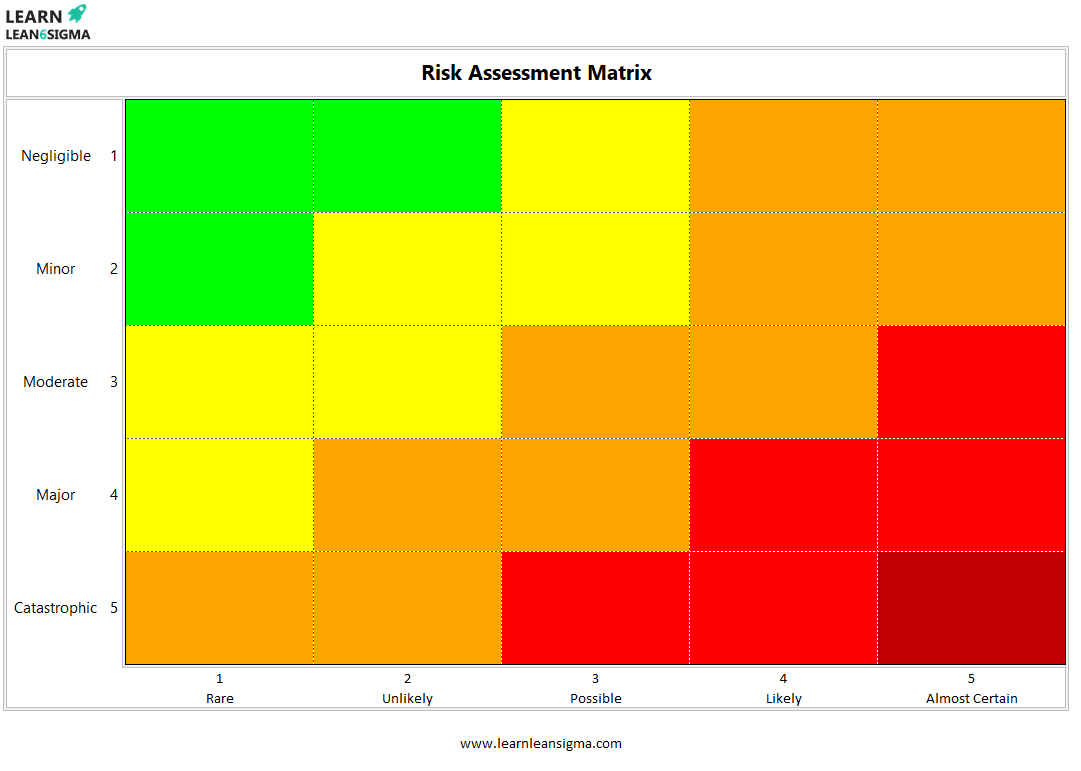
The Risk Assessment Matrix is a critical visual tool used to evaluate the potential risks of a process or project. It is a cornerstone of FMEA (Failure Mode and Effects Analysis) and general safety management systems (like ISO 31000).

Instead of relying on intuition, this matrix forces the team to quantify risks by multiplying Probability (Likelihood) by Severity (Impact). This results in a Risk Priority Number (RPN) or score that helps you decide which issues require immediate mitigation.

Use this template during the Measure phase to baseline current risks, or in the Control phase to verify that your process improvements have successfully lowered the risk profile.

Pro Tip: Risk is dynamic. A "High" risk (Red Zone) can often be moved to the "Low" risk (Green Zone) by implementing engineering controls (like sensors or guards) that reduce the Probability of the event occurring.

SEVERITY (IMPACT) PROBABILITY (LIKELIHOOD) Score 5 (Med) Score 10 (High) Score 15 (High) Score 20 (Critical) Score 25 (Critical)Score 4 (Low) Score 8 (Med) Score 12 (High) Score 16 (High) Score 20 (Critical)Score 3 (Low) Score 6 (Med) Score 9 (Med) Score 12 (High) Score 15 (High)Score 2 (Low) Score 4 (Low) Score 6 (Med) Score 8 (Med) Score 10 (High)Score 1 (Low) Score 2 (Low) Score 3 (Low) Score 4 (Low) Score 5 (Med) 5 4 3 2 1 1 2 3 4 5 HIGH LOW

Visual Prioritization

Instantly identifies which risks need attention (Red Zone) and which are acceptable (Green Zone).

Criticality Analysis

Forces the team to evaluate not just if a problem will occur, but how severe the impact will be.

Mitigation Tracking

Provides a clear "Before and After" snapshot to demonstrate risk reduction after process improvements.

Standardized Scoring

Calculates a Risk Priority Number (RPN) to ensure objective decision-making across teams.

Scoring Reference Guide

Ensure your team agrees on these definitions before starting.

Probability (Likelihood)

  • Very Unlikely
    Once every 5+ years
    1
  • Remote
    Once a year
    2
  • Occasional
    Once a quarter
    3
  • Probable
    Once a month
    4
  • Frequent
    Weekly or Daily
    5

Severity (Impact)

  • Negligible
    No injury, minimal cost
    1
  • Minor
    First aid required
    2
  • Moderate
    Medical treatment / Doctor
    3
  • Major
    Lost time injury / Broken bone
    4
  • Catastrophic
    Fatality or permanent disability
    5
FREE

Join the 28-Day Lean Challenge

Take your skills to the next level. Join 15,000+ practitioners and get exclusive tools delivered to your inbox.

Daily Lessons 5 Bonus Templates PDF Guides
Start the Challenge

No spam. Unsubscribe anytime.

How to Perform a Risk Assessment

Systematically identify, analyze, and control hazards to ensure a safer workplace. Follow this 4-step cycle.

Step 01

Identify the Hazards

You cannot mitigate a risk you don't know exists. Walk the "Gemba" (the place where work is done) and look for potential sources of harm.

  • Physical: Moving machinery, heights, noise.
  • Chemical: Fumes, cleaning agents, dust.
  • Ergonomic: Repetitive motion, heavy lifting.
Ask Yourself:

"What could reasonably go wrong, and who would be harmed?"

!
Step 02

Analyze Likelihood & Severity

Quantify the risk. Assign a score (typically 1-5) to two key factors to calculate the Risk Priority Number (RPN).

  • Probability (P): How often is this likely to happen? (1=Rare, 5=Frequent)
  • Severity (S): If it happens, how bad is the impact? (1=Minor, 5=Catastrophic)
The Formula:

Risk Score = Probability × Severity

PROBABILITY HighSEVERITY Critical×
Step 03

Plot on Matrix

Map your score onto the matrix grid to determine the urgency. This visualizes which risks are acceptable and which require immediate work.

  • Green Zone: Low Risk. Acceptable with monitoring.
  • Yellow Zone: Medium Risk. Plan to reduce in near future.
  • Red Zone: High Risk. Stop work immediately or implement interim controls.
PLOT RISK LEVEL
Step 04

Implement Controls

Take action to lower the risk level. Focus on the "Hierarchy of Controls"—PPE should always be the last resort.

  • Elimination: Remove the hazard completely.
  • Engineering: Add guards, sensors, or barriers.
  • Administrative: Change procedures, add training.
Goal:

Move the risk from the Red Zone -> Green Zone.

BEFORE AFTER CONTROLS APPLIED
FAQ

Common Questions

When is a Risk Assessment required?

Assessments should be conducted before new processes are introduced, whenever a significant change occurs (like new equipment or staff), or immediately following an incident or near-miss to prevent recurrence.

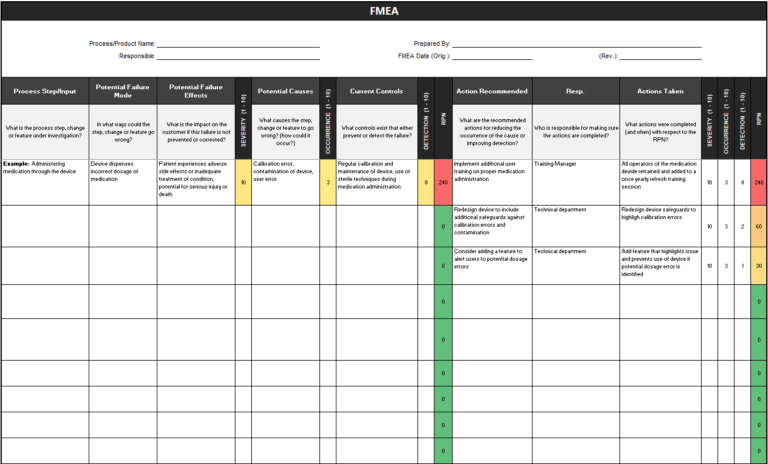
What is the difference between a Risk Matrix and FMEA?

They work together. The FMEA (Failure Mode and Effects Analysis) is the detailed documentation of every possible failure mode. The Risk Matrix is the visual tool used within the FMEA to score those failures (Red/Yellow/Green) and prioritize which ones need action first.

What does ALARP mean?

ALARP stands for "As Low As Reasonably Practicable." It acknowledges that zero risk is often impossible. Instead, you must implement controls until the cost (time, money, effort) of further reduction is disproportionate to the safety benefit gained.

Can I customize the grid size (e.g., 3x3 vs 5x5)?

Yes. A 5x5 matrix is the industry standard because it offers enough nuance (Low, Med, High, Critical). However, a 3x3 grid is acceptable for low-complexity environments, while aerospace or nuclear industries might use 10x10 grids for extreme precision.

How do I calculate the Risk Priority Number (RPN)?

The standard formula is RPN = Severity × Occurrence × Detection. While the Risk Matrix often focuses just on Severity × Occurrence, adding "Detection" (how likely you are to catch the error before it causes harm) gives a more complete picture for Process FMEAs.
Free for Personal Use

Free

Instant Download • No CC Required

Download Excel
Secure SSL 256-bit Encrypted

What's Included

Free Template

Risk Assessment Matrix Template

Download Now

On this page